Free for iPhone and Android

Plan your budget until payday

Money Planner helps you split your money into categories in advance, log expenses in seconds and see at a glance how much you can still spend before the period ends.

  • No sign-up
  • Data stays on your device
  • 22 currencies
  • 6 languages
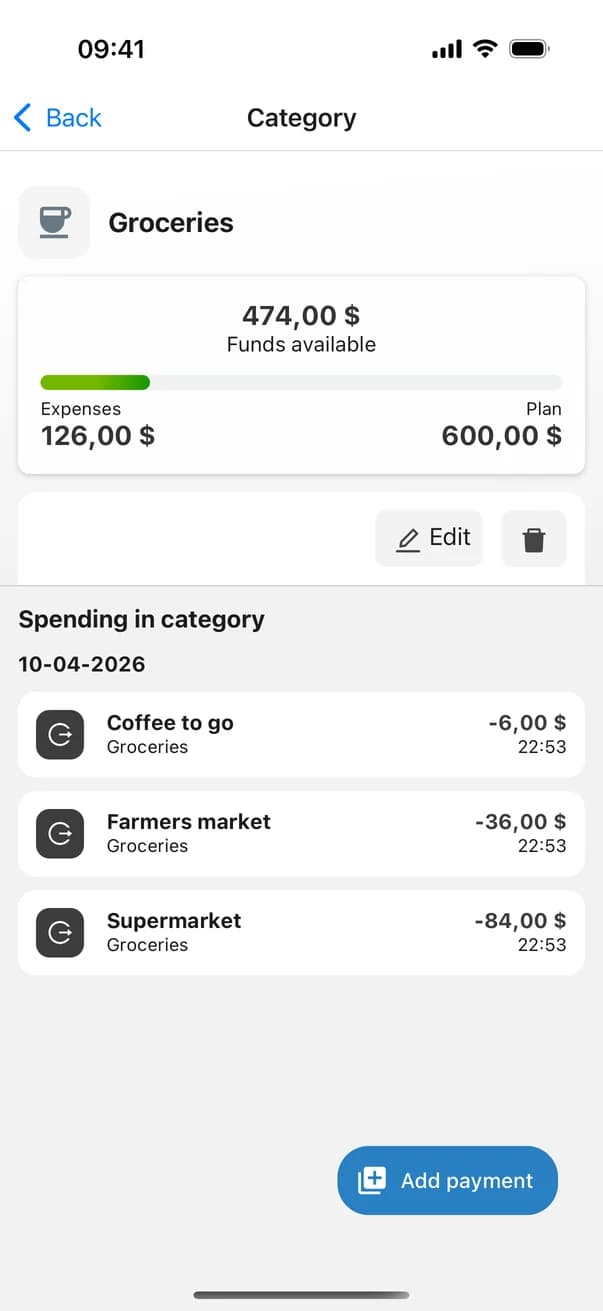
Groceries category screen with funds available and spending list
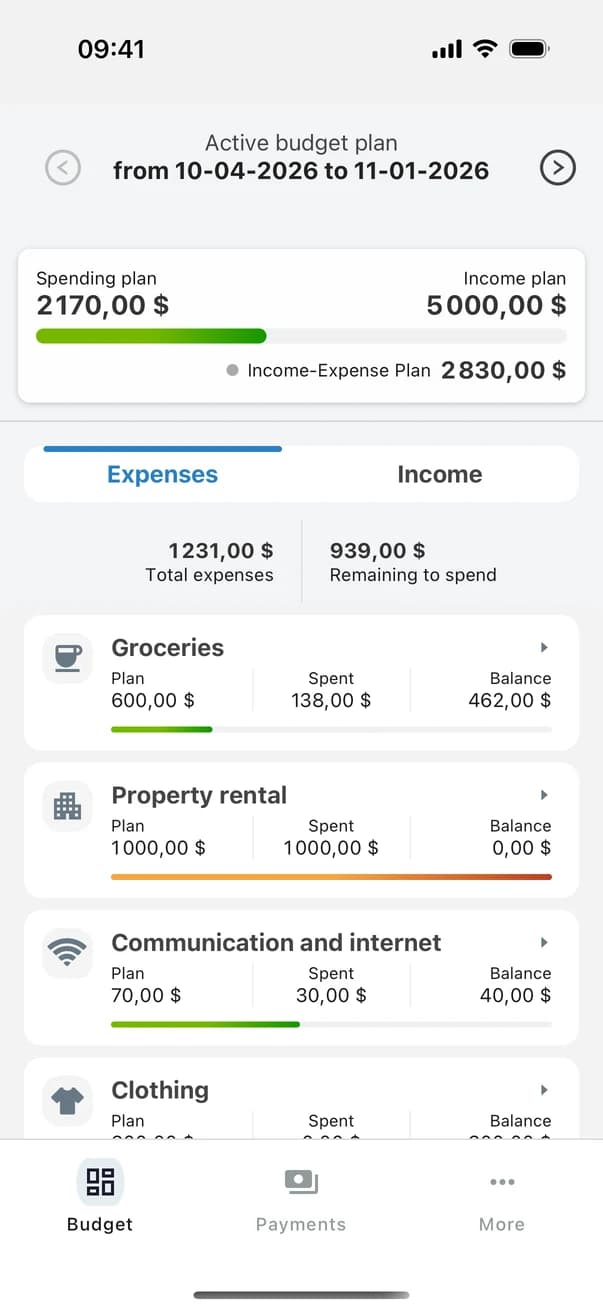
Money Planner home screen: spending and income plan with category balances

How it works

Three steps to peace of mind about money

No spreadsheets, no complicated setup — your first budget is ready in under a minute.

  1. 1

    Set the period

    Pick the dates — from one paycheck to the next or for your next vacation — and enter the amount you have.

  2. 2

    Split it into categories

    Groceries, rent, transport, phone — set a plan for each category. The app instantly shows what is still unallocated.

  3. 3

    Log your spending

    Add a payment in a couple of taps. Category and budget balances update instantly, and the color of the bar tells you when to slow down.

Groceries category screen with funds available and spending list

Category control

See what's left — for every category

Each category shows its plan, what you've spent and what remains. The progress bar shifts from green to red as you approach the limit, so you notice overspending early — not at the end of the month.

  • Plan, spent and balance on one card
  • Spending history inside each category
  • Custom icons and category order
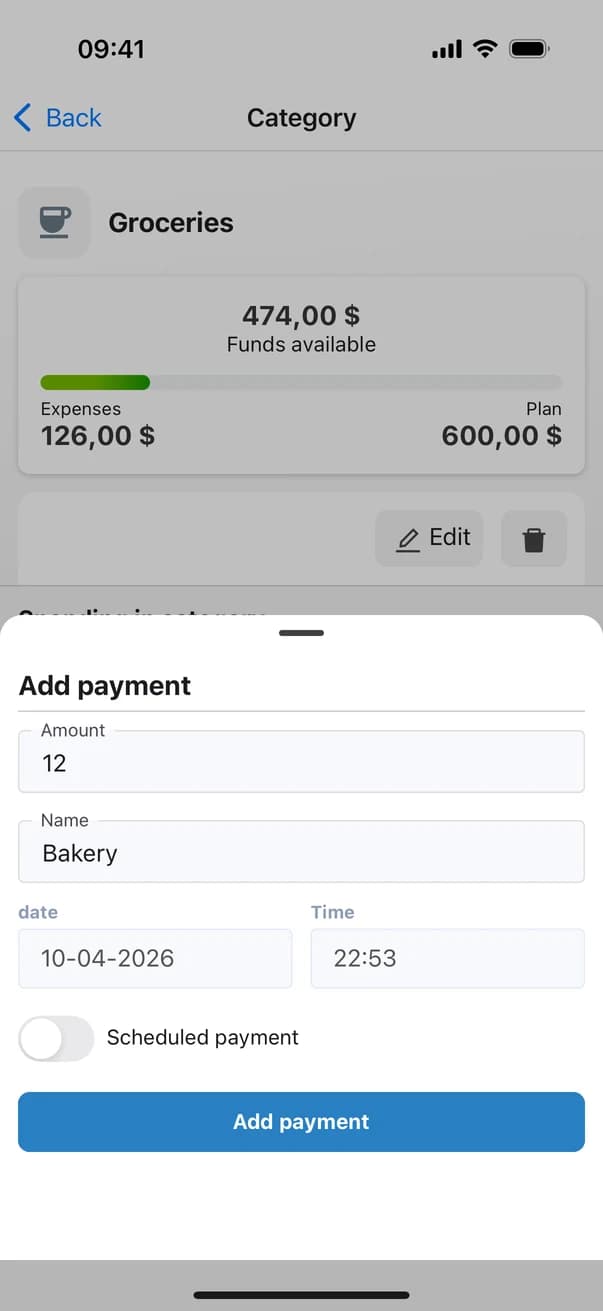
Add payment form in Money Planner

Quick entry

Log an expense in seconds

Amount, name — done. Date and time are filled in automatically. Mark upcoming bills as scheduled payments to account for them in your budget ahead of time.

  • Expenses and income, with or without a category
  • Scheduled payments
  • Reminders so you never forget to log spending
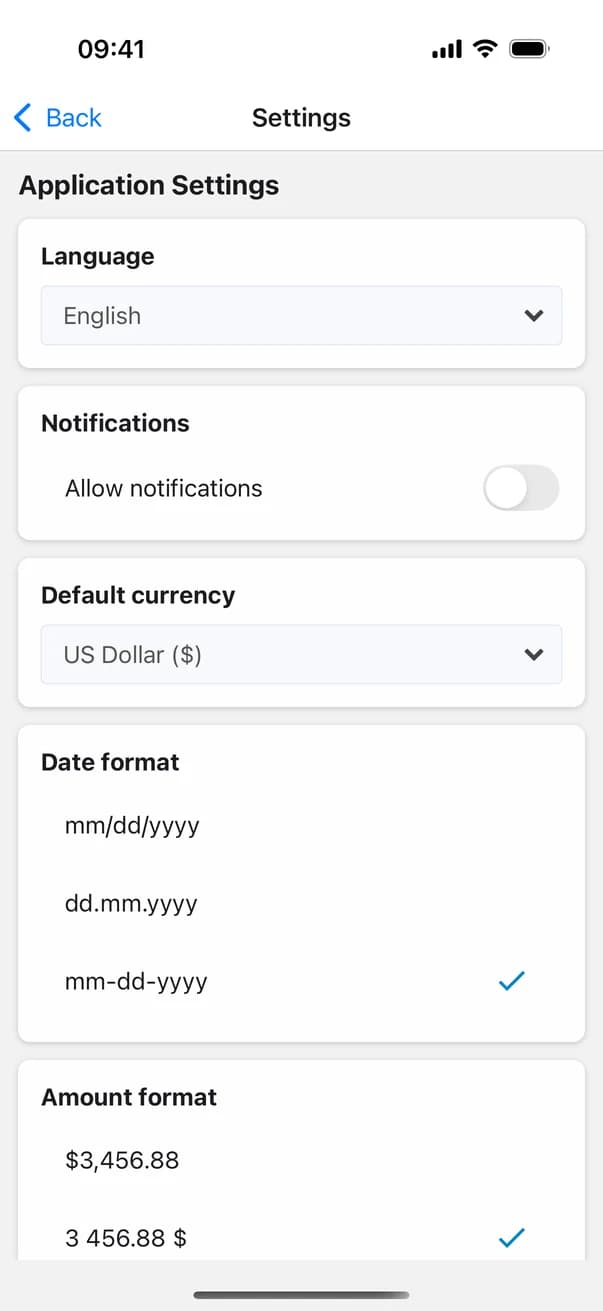
Money Planner settings: language, currency, date and amount format

Made for your habits

Your language, your currency, your format

Money Planner speaks six languages and supports 22 currencies — from the US dollar and euro to the British pound and Turkish lira. Date and amount formats adapt to the way you're used to.

  • English, Deutsch, Français, Italiano, Русский, Тоҷикӣ
  • A separate currency for each budget
  • Flexible date and amount formats

Features

Everything you need for a personal budget

And nothing you don't: Money Planner stays simple even as your budgets grow.

  • A budget for any period

    Until payday, for a month, a trip or a renovation — you choose the dates.

  • Income and expense plan

    Compare planned income with planned spending and see the difference right away.

  • Next period in a tap

    Duplicate a budget with all its categories and start next month with a clean slate.

  • Multiple budgets

    Keep separate plans and switch between past and upcoming periods.

  • History and chart

    Filter transactions by budget, week or month and review your spending chart.

  • Private by design

    No account and no bank connection. Your records are stored on your device.

Screenshots

See it in action

Real screens from the app — nothing mocked up.

FAQ

Frequently asked questions

Is Money Planner really free?

Yes. The app is free on iPhone and Android, with no subscriptions and no paid features.

Do I need to create an account?

No. There is no sign-up — install the app and create your first budget right away. Your records are stored on your device.

Does the app connect to my bank?

No, and that's intentional. You log expenses yourself — it takes a few seconds and keeps you aware of where your money goes. The app never needs access to your bank data.

How do I budget from paycheck to paycheck?

Create a budget that runs from one payday to the next, enter your starting amount and split it into categories. Then just log your expenses — Money Planner shows what's left in each category and overall.

What happens if I go over a category's plan?

The progress bar turns red and the totals show how much you've overspent, so you can see early where to cut back or move money around.

How do I start a new month?

Duplicate your current budget: categories and plans are copied, transactions are not. The new period is ready in seconds.

Which currencies and languages are supported?

22 currencies, including the US dollar, euro, British pound, Polish zloty, Czech koruna, Hungarian forint and Turkish lira. The app is available in English, German, French, Italian, Russian and Tajik.

Can I use it for a family budget?

Yes — set up shared household categories and log spending in them. For bigger goals like a vacation or a renovation, it's handy to create a separate budget.

Start planning today

Install Money Planner for free and create your first budget in under a minute.